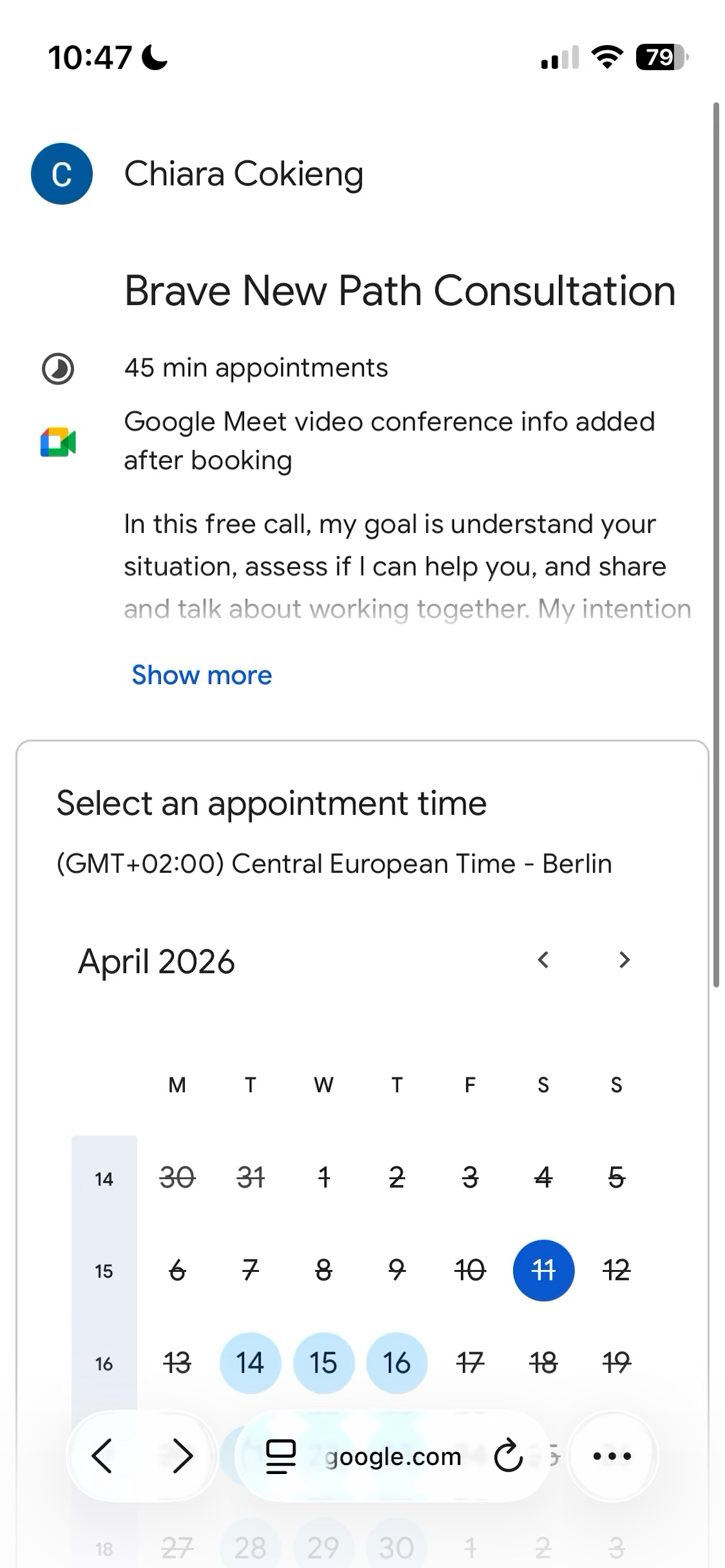
Evaluating Copper and Google Calendar for CRM and Scheduling
This week I evaluated two tools: Google Calendar for scheduling and Copper as my CRM.
Context:
- Previously, I'd used Brevo for both scheduling and CRM. I switched away because the different tools (schedule, pipelines, contacts...) didn't work well together, and the interface and workflows felt poorly thought through. It felt like features existed just so they can say they existed.
- For CRM I fell back to Google Sheets, which works but isn't really a CRM. For scheduling, I've been thinking about consolidating into Google Calendar since I already live there.
- Also, I want to use a CRM properly again — not just for sales, but also for client delivery. This is important to me.
I spent half a day researching and 2 hours testing. I booked a test call with myself, added a lead from Gmail, and converted that lead to a client. The experience was pretty good.
Moving forward with both!
Copper
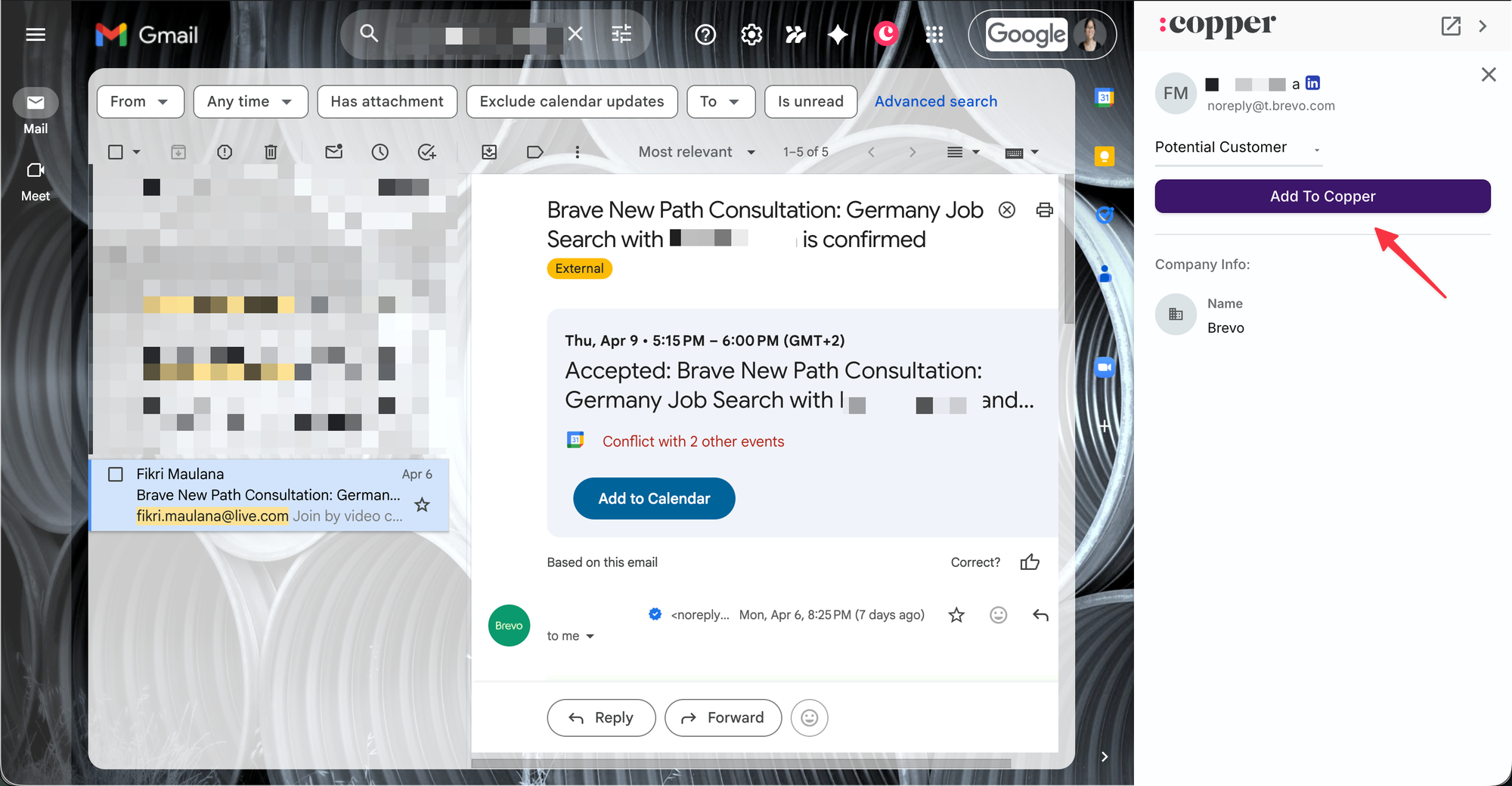
If someone books a call, can they automatically be added as a Lead? Not automatically — but I can add a new lead from Gmail or Google Calendar in a couple of clicks. Good enough for me.
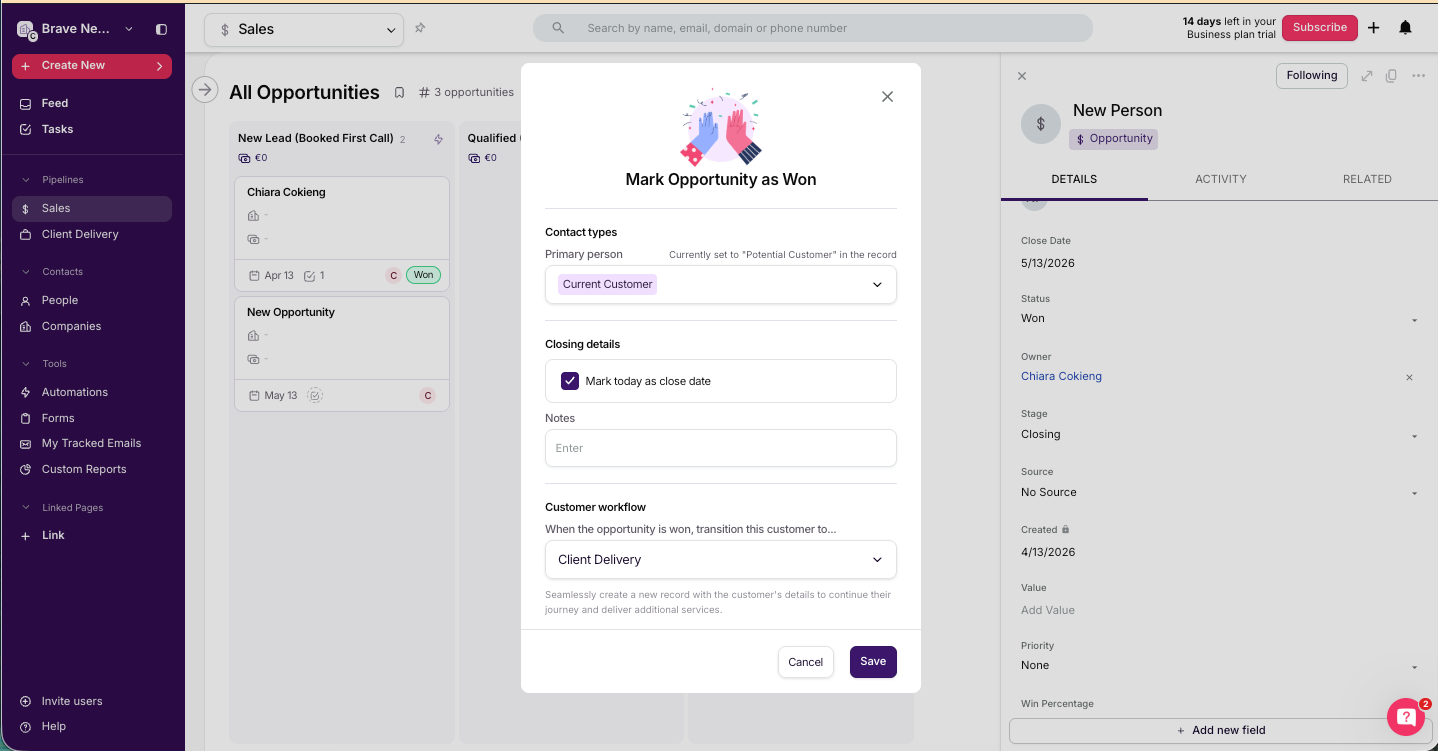
Once they pay via Stripe or join Circle, can their stage automatically change from Lead → Client? Not automatic. I change the Opportunity's status to Won, which it then suggests me to transition this customer to the "Client Delivery" pipeline.
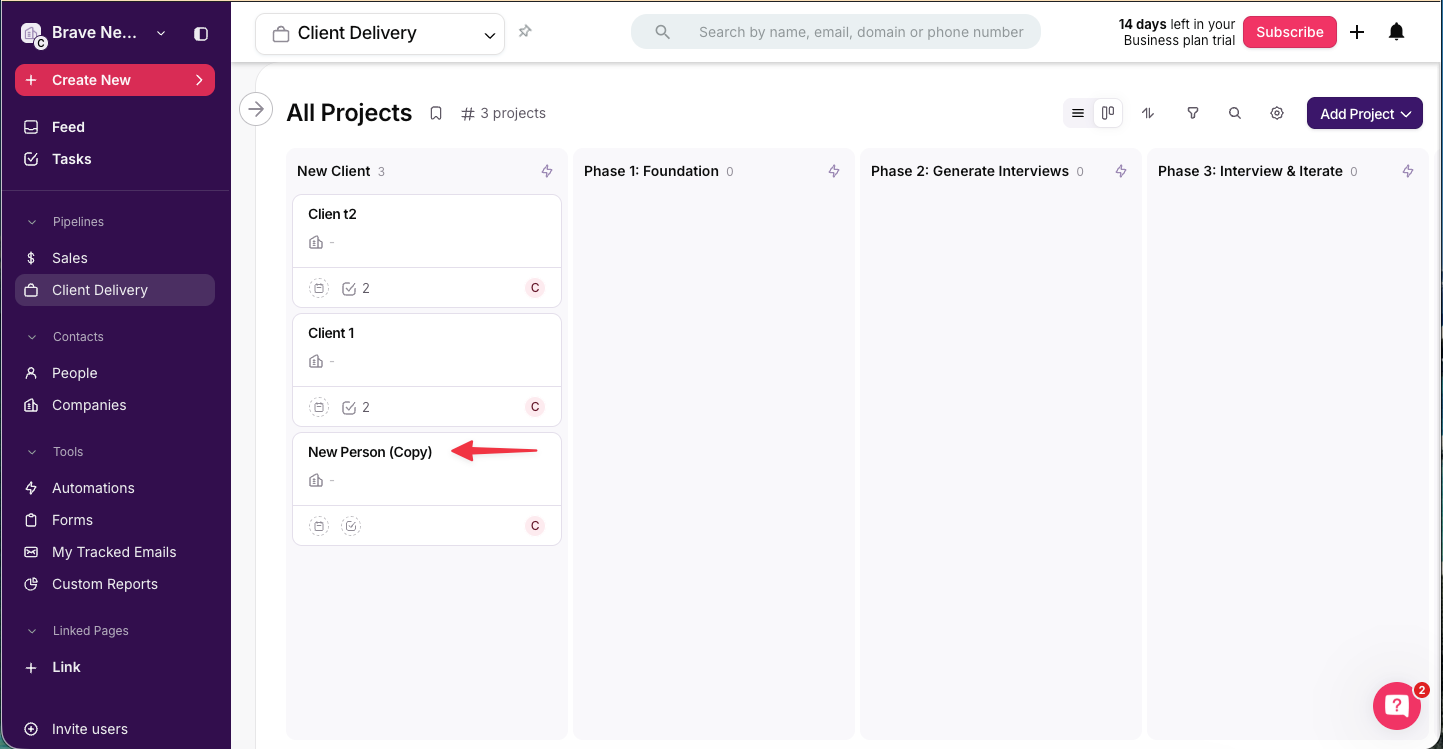
It automatically created a new "New Person (Copy)" object in the Client Delivery pipeline.
Once they are created as a New Client, can they automatically receive a welcome email?
- Yes, but this is "Email Automation," which is only available on the Professional plan (~$60/mo), not Basic (~$30/mo).
- With "Task Automation" available in the Basic plan, I can have tasks automatically created (e.g. send welcome email). I can manage onboarding this way for now and upgrade when the volume justifies it.
Other things I liked
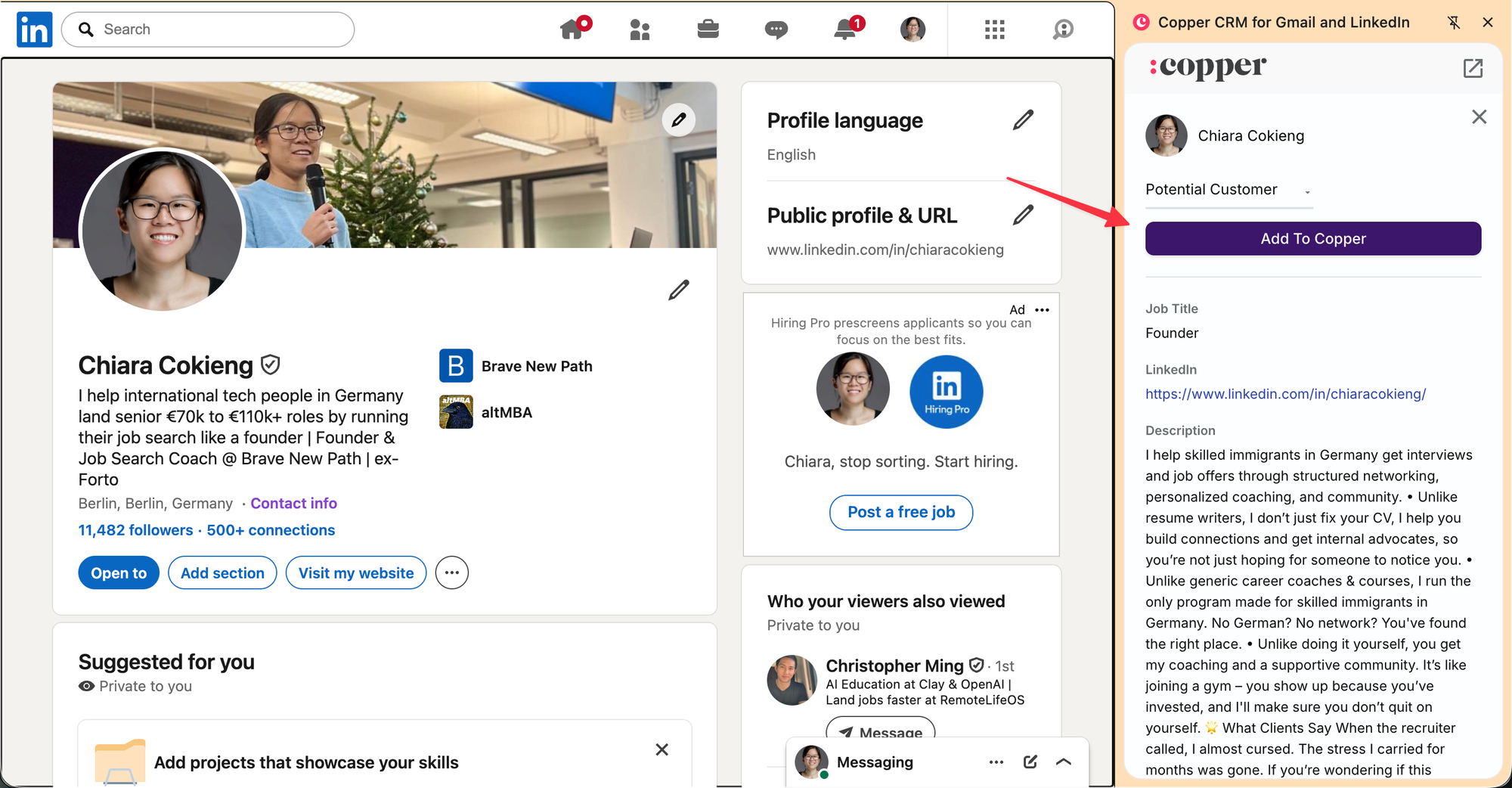
I can add people as a Lead from LinkedIn.
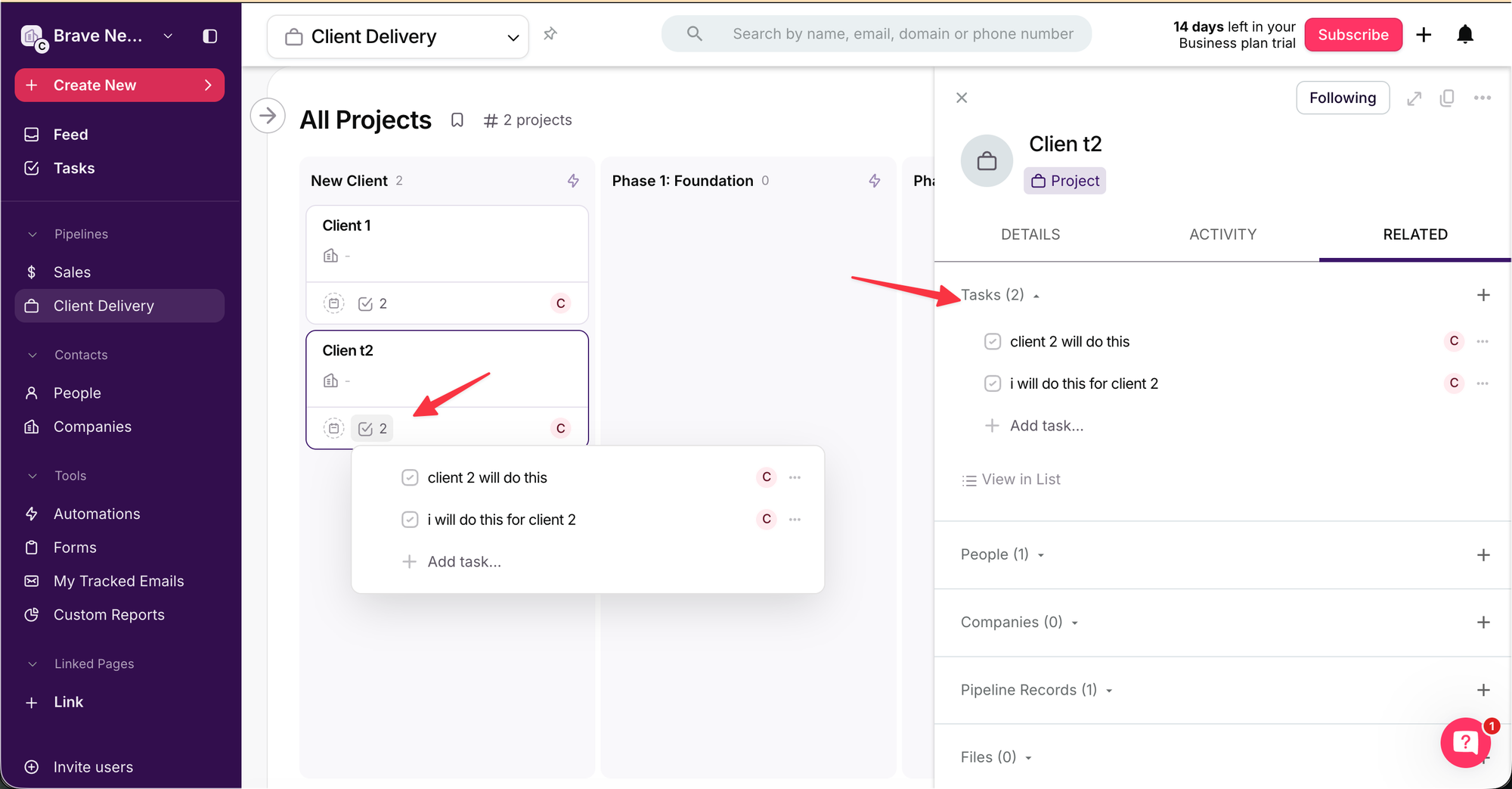
Tasks are handled really well. I can add and view tasks across multiple views, all useful. Examples:
From the pipeline view.
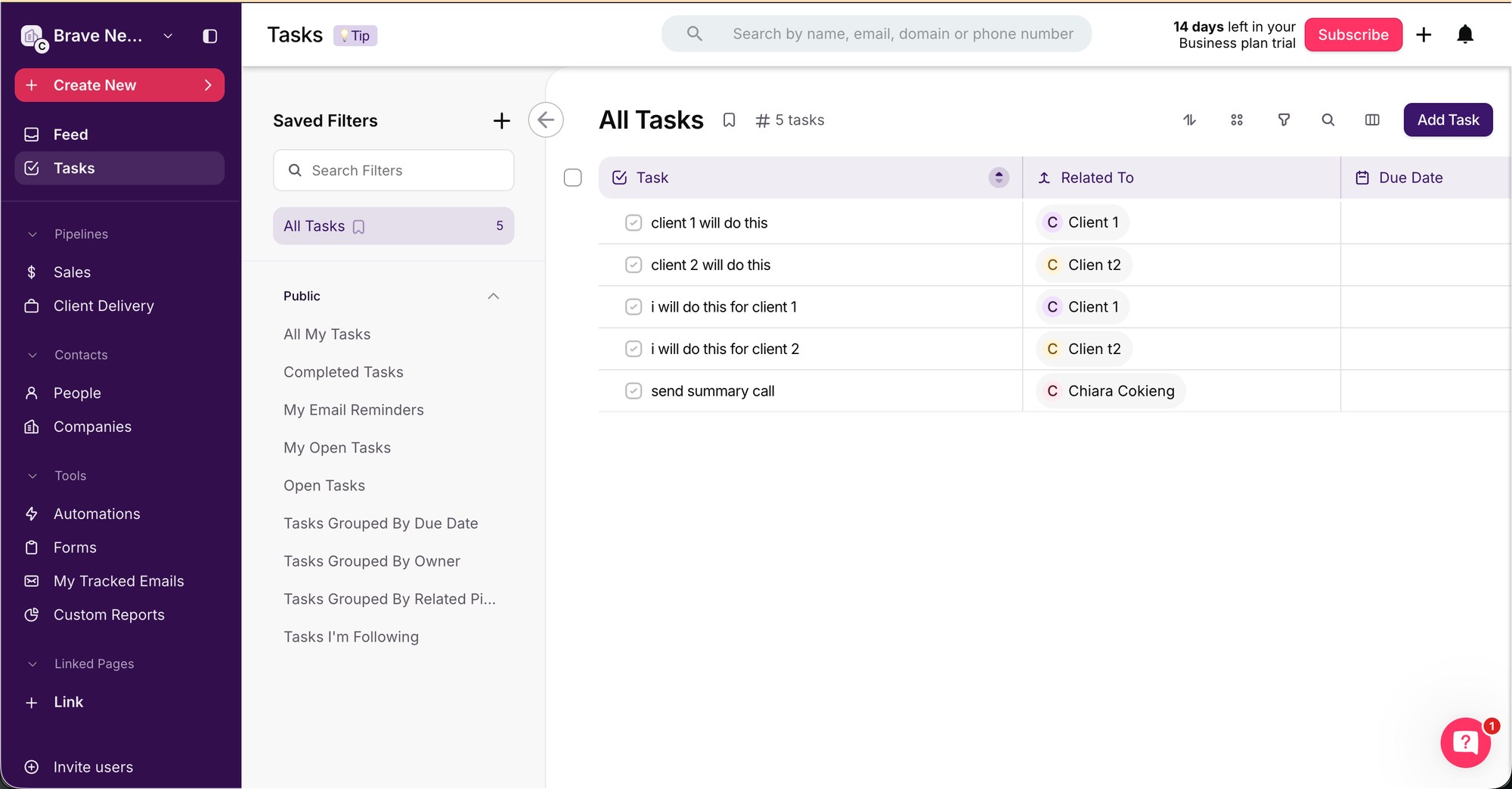
Across all my clients, which will help me be more efficient w/ client delivery.
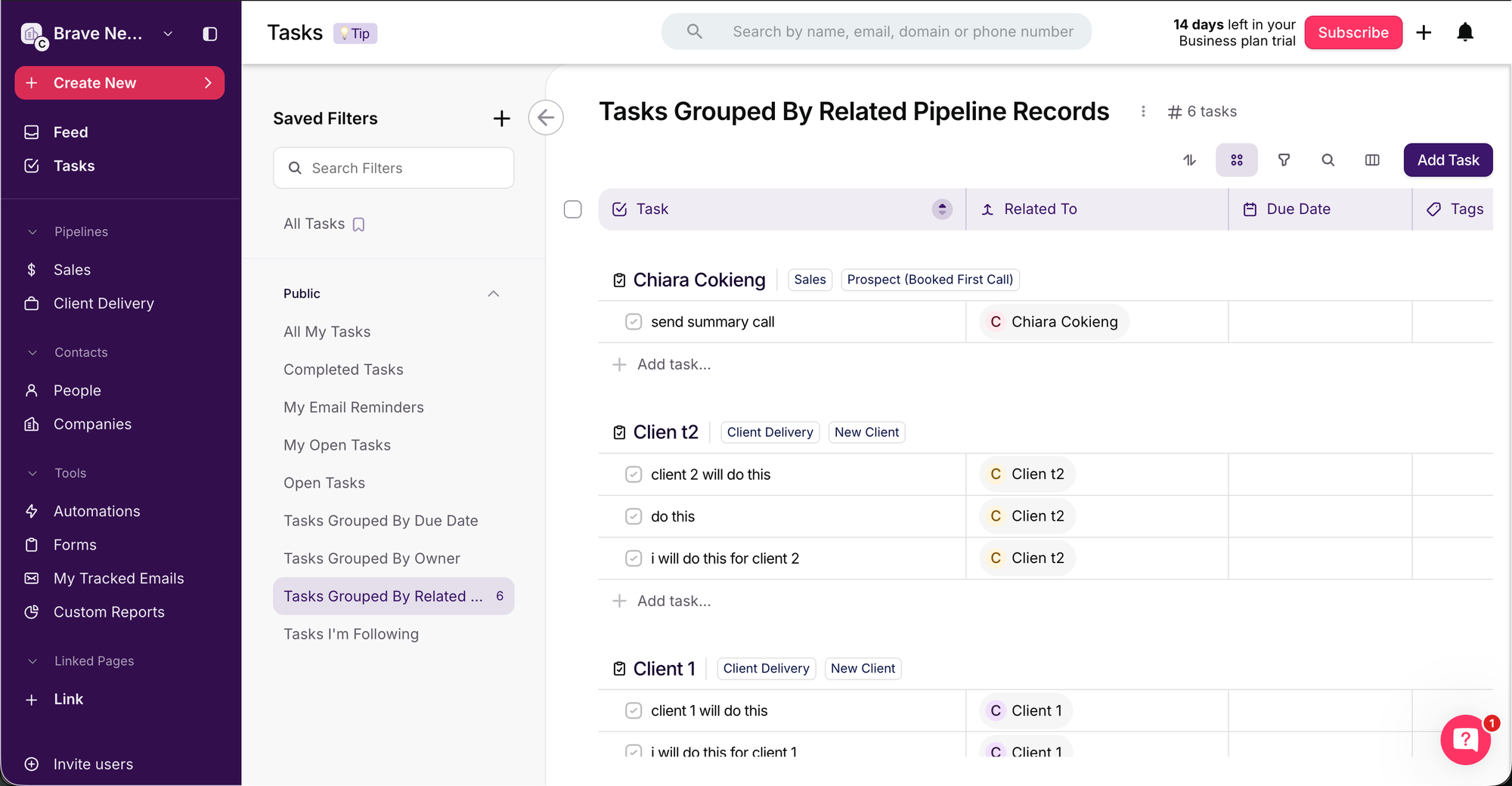
I can group them by pipeline record, which will help me batch tasks by a) sales, and b) client delivery.
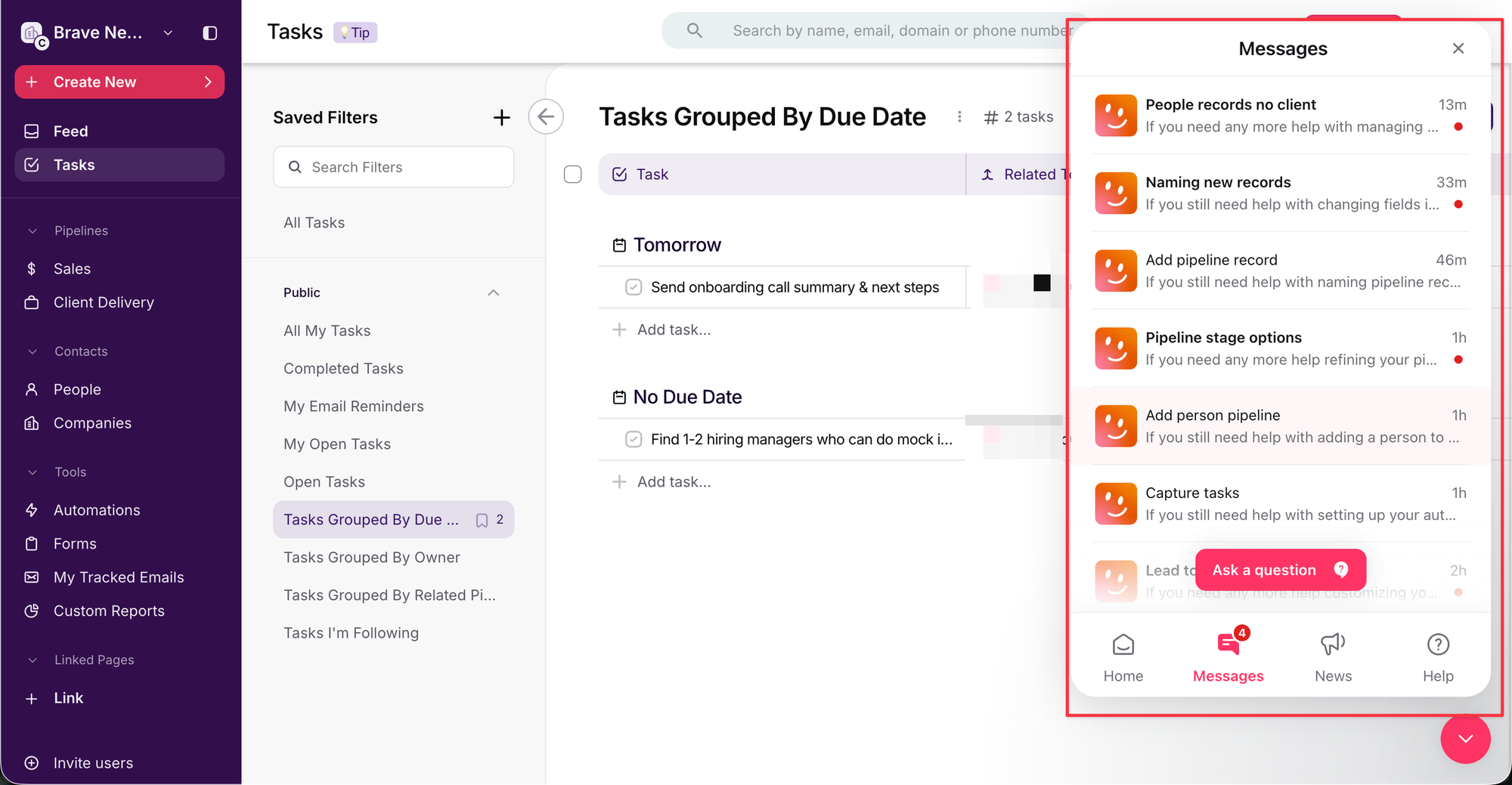
I wasn't looking for this, but the AI support chatbot is quite good: accurate, helpful, and succinct.
Not only does it answer product questions, it helps with CRM best practices. For example, I asked for advice on naming my pipeline stages and it gave me actual sales best practices: keep it to max 4–6 stages, and use Statuses (Won, Lost, On Hold, Abandoned) for things like "Waitlisted" rather than treating them as stages.
One disappointment
I'm not super happy that email automation is included only in Professional but not Basic ($60/mo vs $30/mo). But I can live with that for now. At least I know the option to upgrade is there when I need it.
Google Calendar
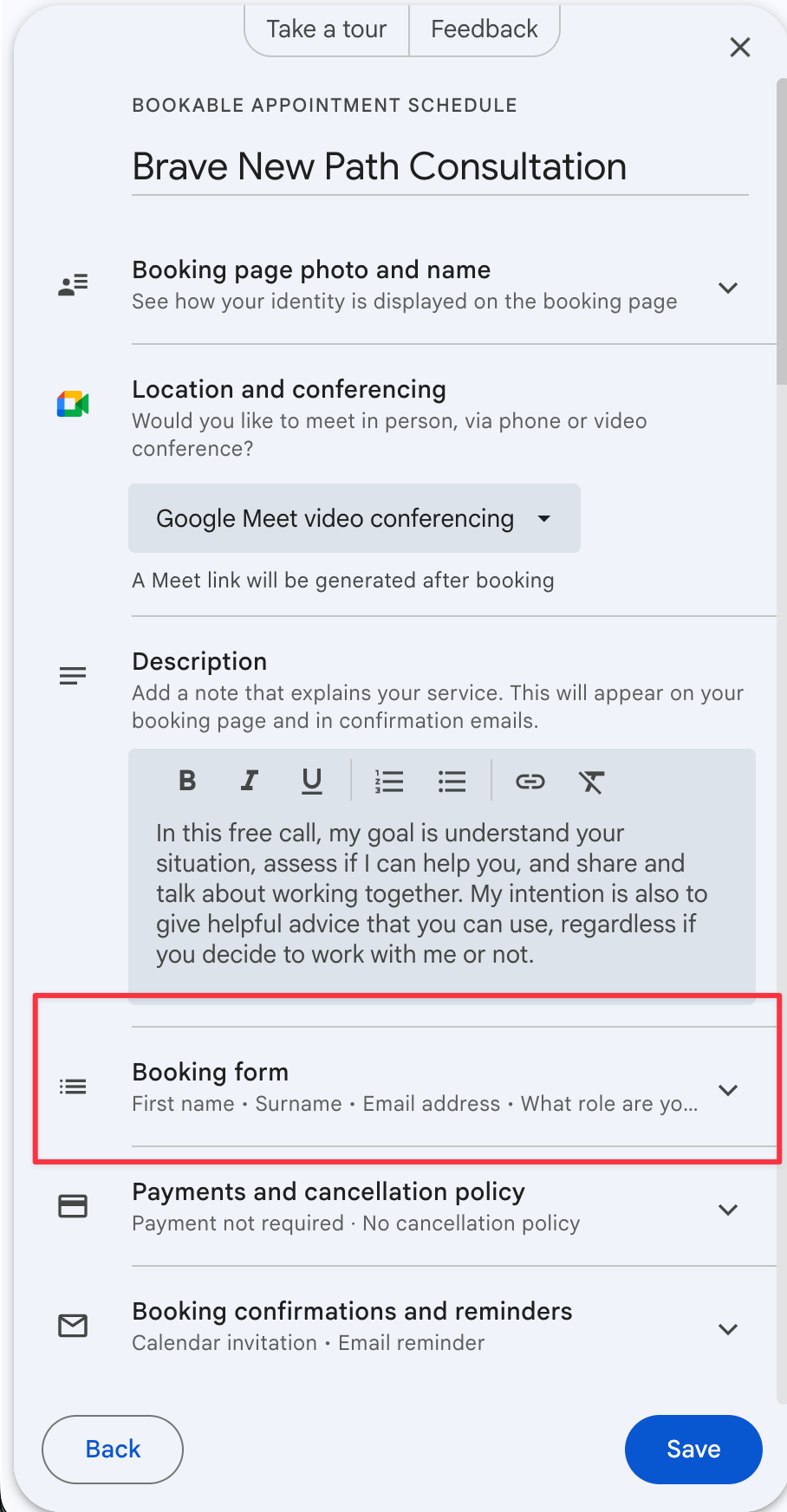
Can I have qualifying questions? Yes. Bookings can include a custom form with questions.
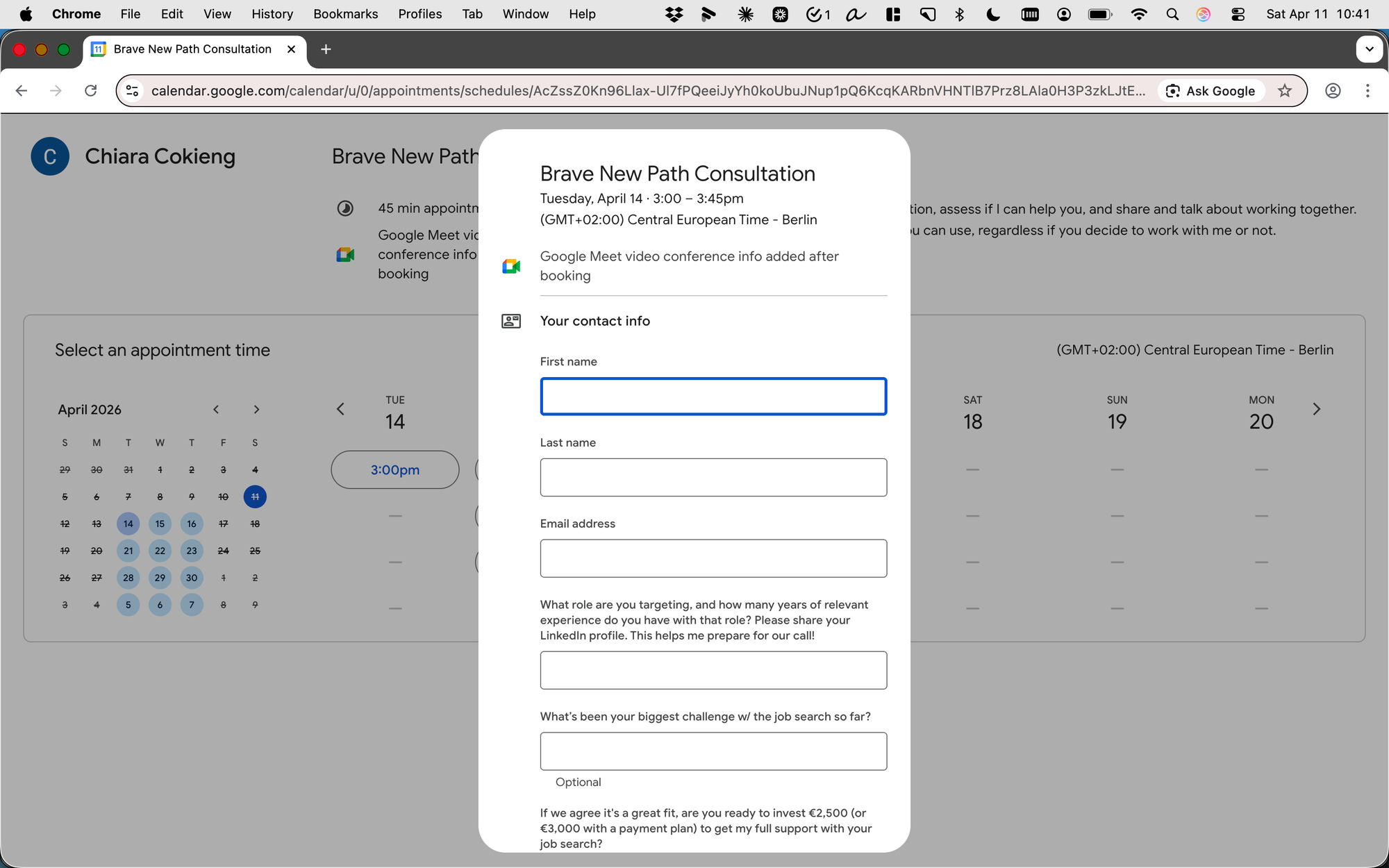
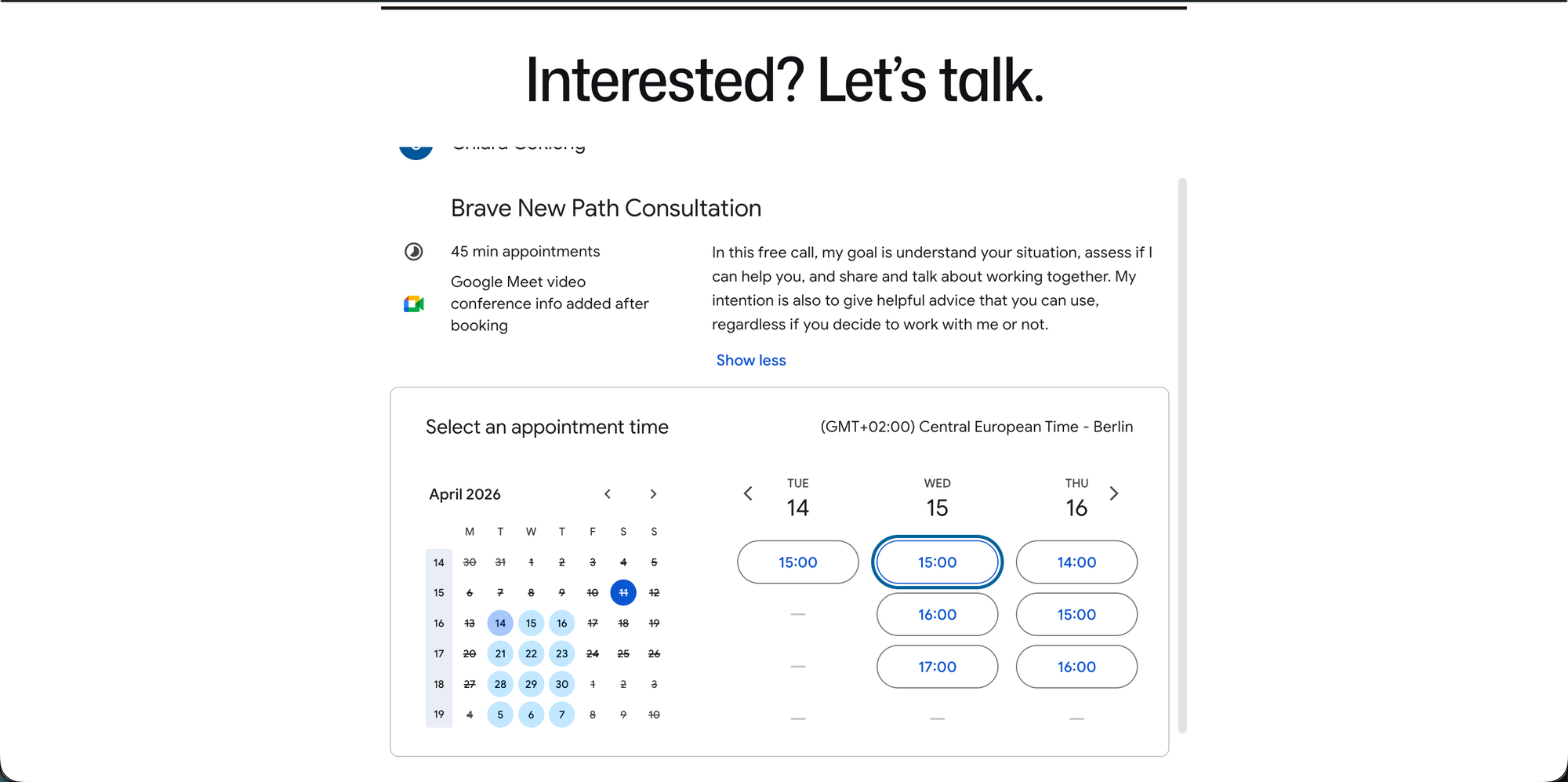
Can I embed the scheduler on my WordPress site? Yes, just embedded it. Done.
Can I block bookings if someone gives the "wrong" answers? No. But I don't care about this.
Other things I liked:
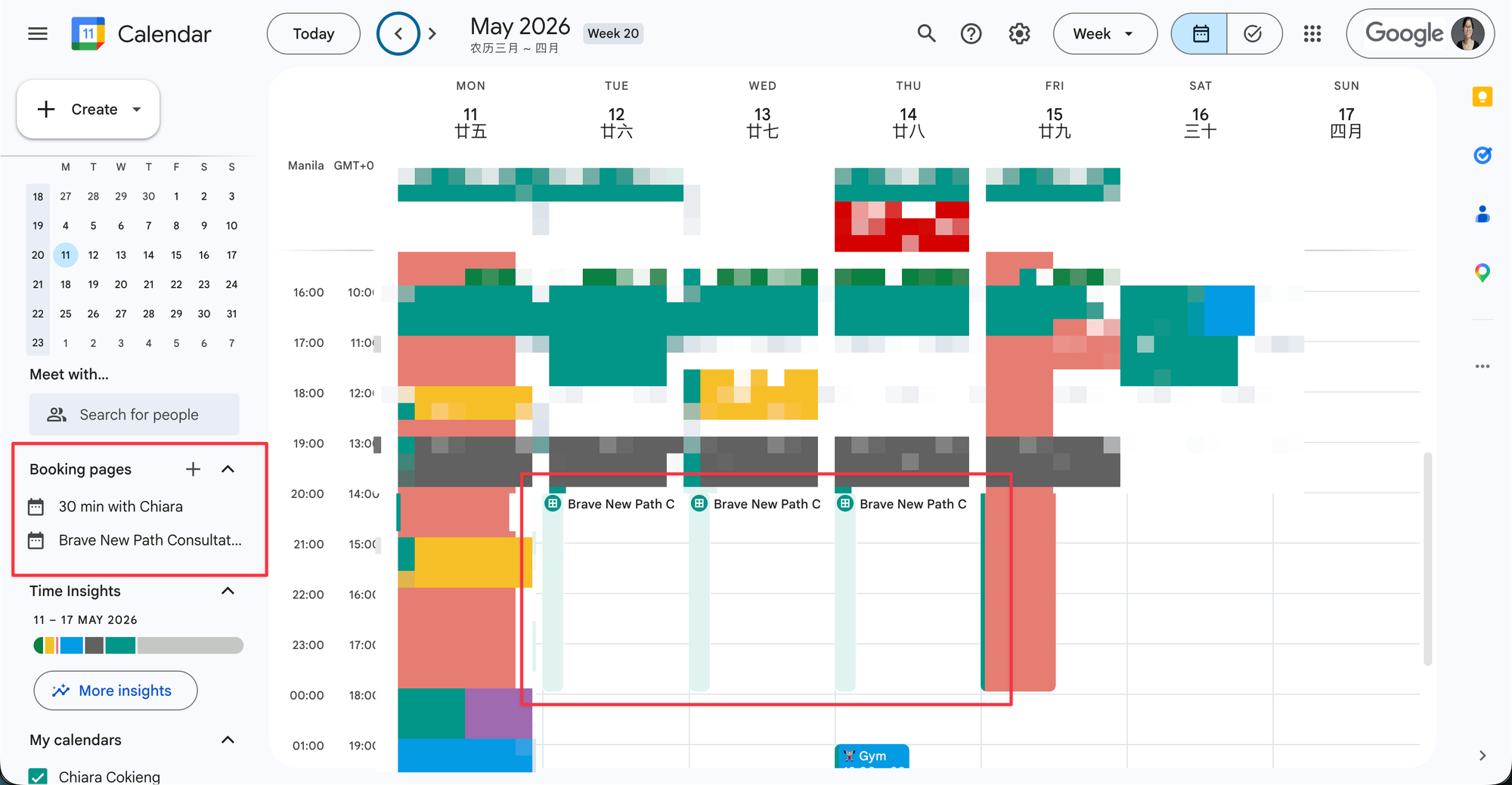
I can see and edit all my booking forms directly from my Google Calendar sidebar and from my schedule.
Looks great on mobile too.